

How I used Claude Cowork to prep 30 client portfolios in 20 minutes
The Monday morning briefing workflow that replaced 3 hours of manual prep and it's free to use

It’s 9:45 on a Monday morning.
You have 30 client portfolios to review. Markets opened 45 minutes ago. Your phone is already going. And you haven’t even looked at what moved over the weekend.
But here’s the thing, you already knew this was coming. Every Sunday night. Every single one. That slow dread of Monday morning prep that never gets shorter, never gets easier, and always feels like you’re running before you’ve even started.
Most wealth advisors I talk to spend 2 to 3 hours on this. Pulling data. Cross-referencing watchlists. Checking who’s overdue for a review. Manually building a call priority list in their head, or worse, in a spreadsheet.
Therefore, they walk into client calls half-prepared. Reactive, not proactive.
I used to be the same. Until I built one workflow on Claude Cowork that replaced all of it.
The industry is still doing this the old way. And AI content is making it worse.
Here’s the truth nobody in wealth management wants to say out loud.
The prep work hasn’t changed in 20 years. Advisors are still doing manually what their seniors did manually. Pull the data. Check the notes. Build the priority list. Rinse, repeat, burn out.
But the AI content you see online? It’s all ChatGPT screenshots and 10-step frameworks that look impressive and do nothing. Nobody is actually building the workflow, running it with real clients, and showing you what it looks like at 9:45 on a Monday.
Therefore, most advisors either stay stuck in the old way or they try some AI tool once, it doesn’t work out of the box, and they go back to the spreadsheet.
I’m not interested in talking about AI. I’m interested in showing you the exact session I ran, the two plugins I used, and the output I had in 20 minutes.
Here's exactly what I did: step by step
I opened Claude Cowork on a Monday morning with two plugins active: the Wealth Management plugin and the S&P Global plugin.
Plugin direct links: Both plugins are available inside Claude Cowork's plugin directory. You can also install them directly from the links below.
Wealth Management plugin: https://claude.com/plugins/wealth-management
S&P Global plugin: https://claude.com/plugins/sp-global
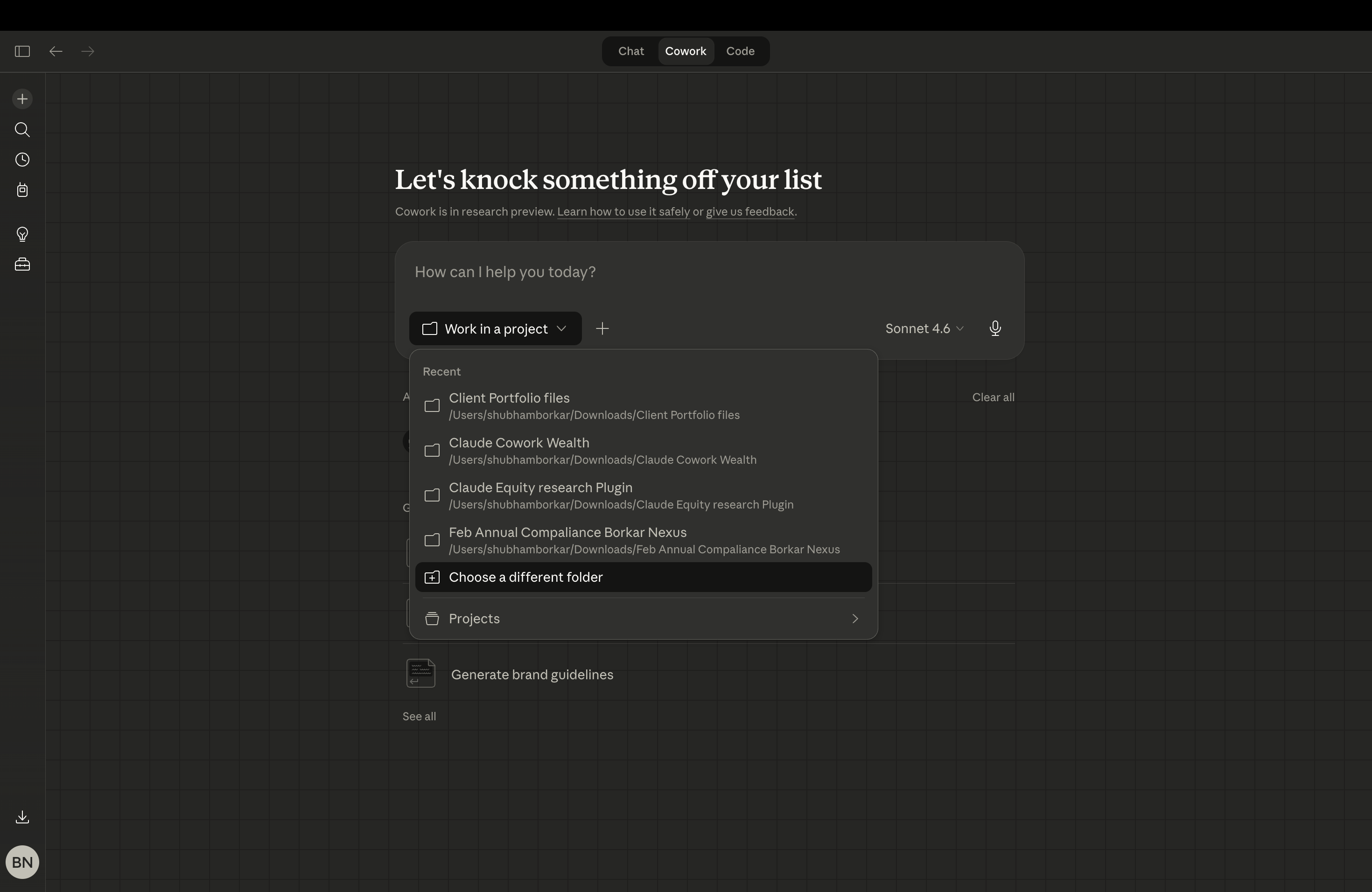
Select your working folder.
Open a folder on your desktop. This is where everything lives. Your source files, your firm’s report template, any compliance language you want included. Click the folder icon in Claude Cowork and point it to that folder. Whatever you put in there, Claude can read and use. That is the whole setup.
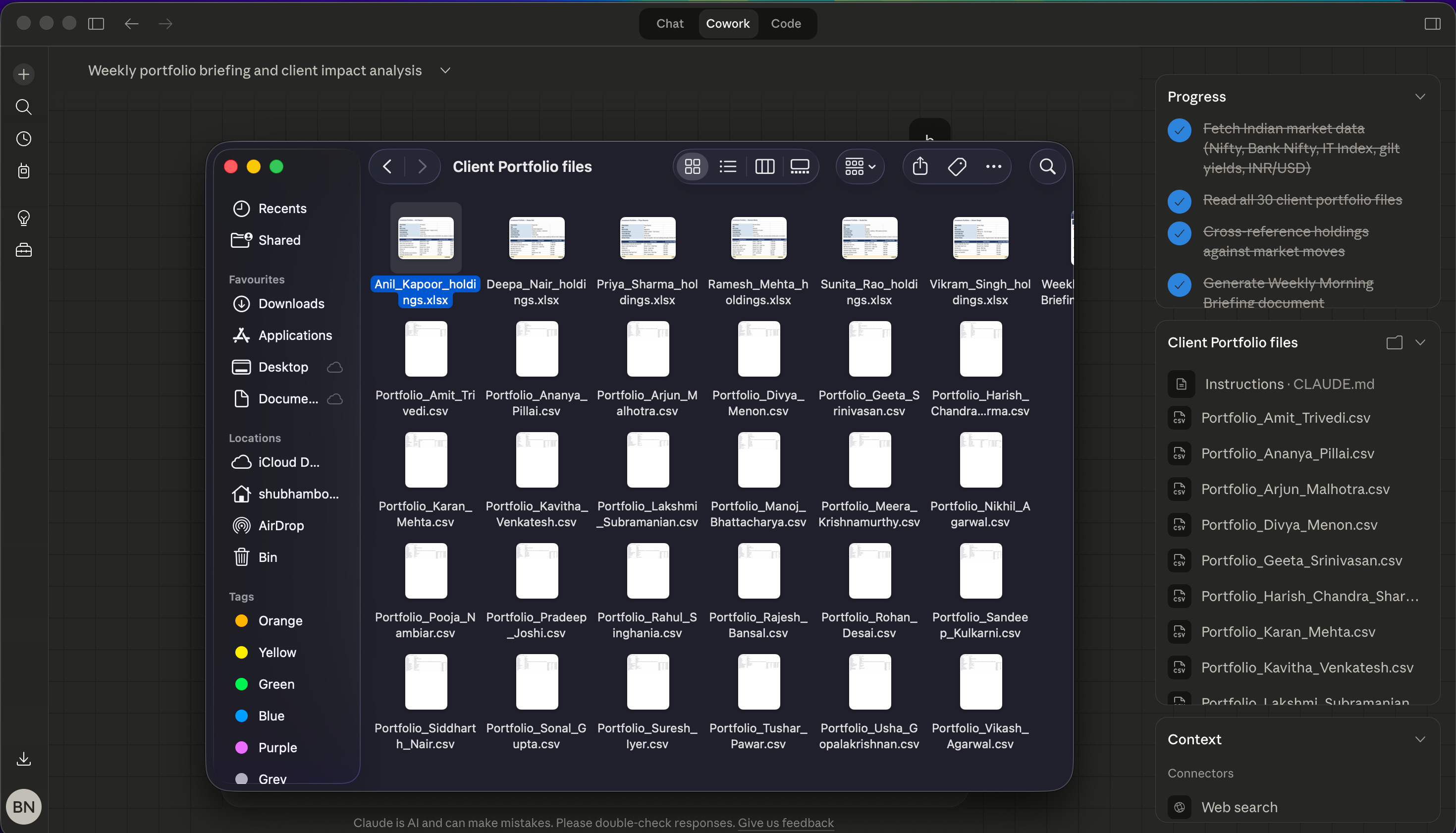
Here’s how it ran:
Step 1: Priority call list in minutes. I asked Claude to pull my top clients by portfolio size and flag anyone overdue for a review. It cross-referenced my watchlist and surfaced 5 names immediately, the ones that actually needed a call that week, not a generic list of 30.
Step 2: Market context for each client. For each of those 5, I asked for a quick brief, what moved in their holdings over the weekend, any earnings or macro events relevant to their positions. The S&P Global plugin pulled live data directly into the session.
Step 3: Call talking points, pre-built. Before I picked up the phone, I had a short brief for each client. What to lead with. What risk to flag. What opportunity to mention.
That’s it. Three steps. One session. Done before my first coffee went cold.
But here’s what surprised me the most, it wasn’t just faster. The calls were better. I walked in with context, not chaos.
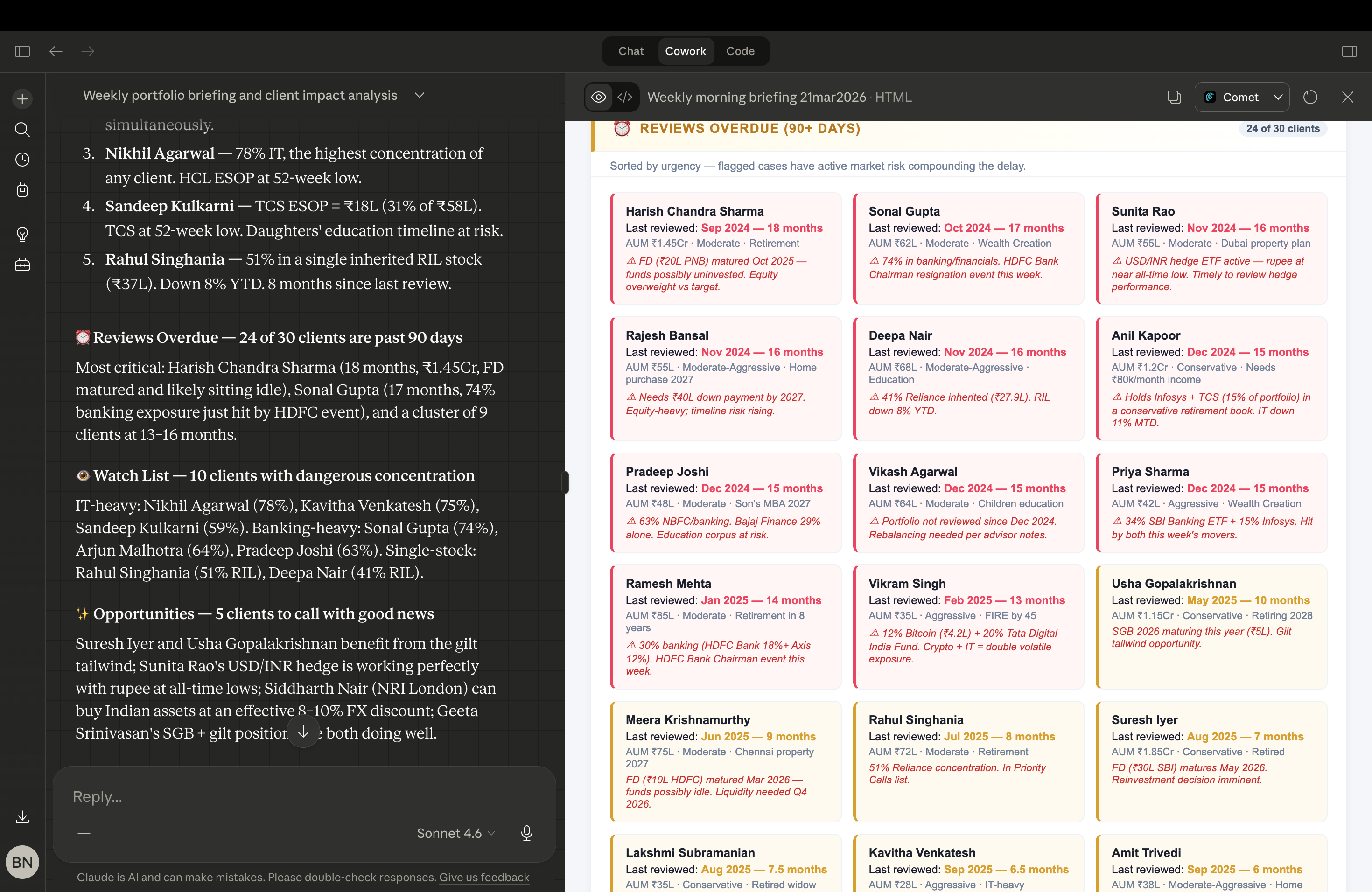
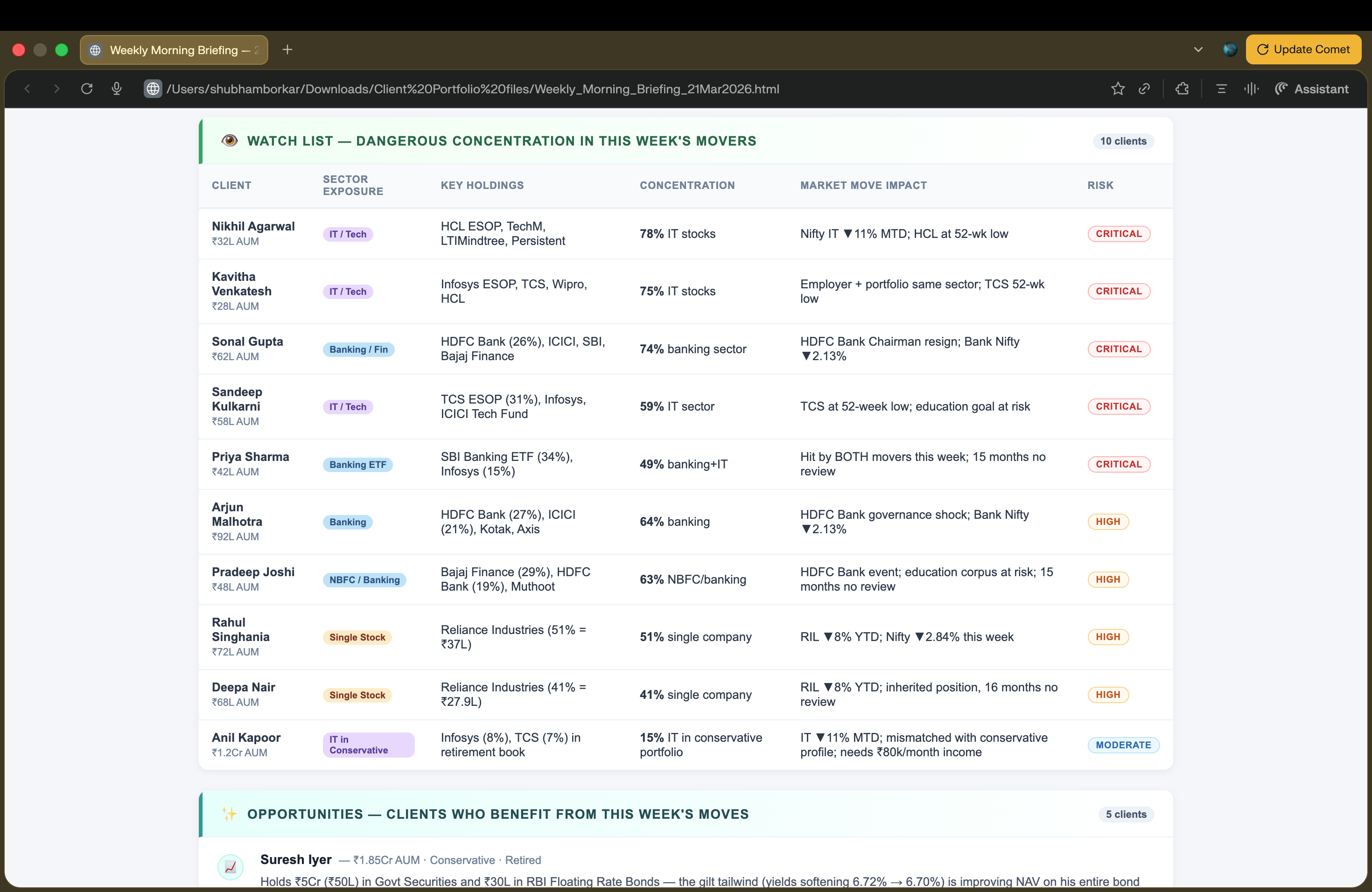
What the output actually looks like
I’m not going to describe it. I’m going to show you.
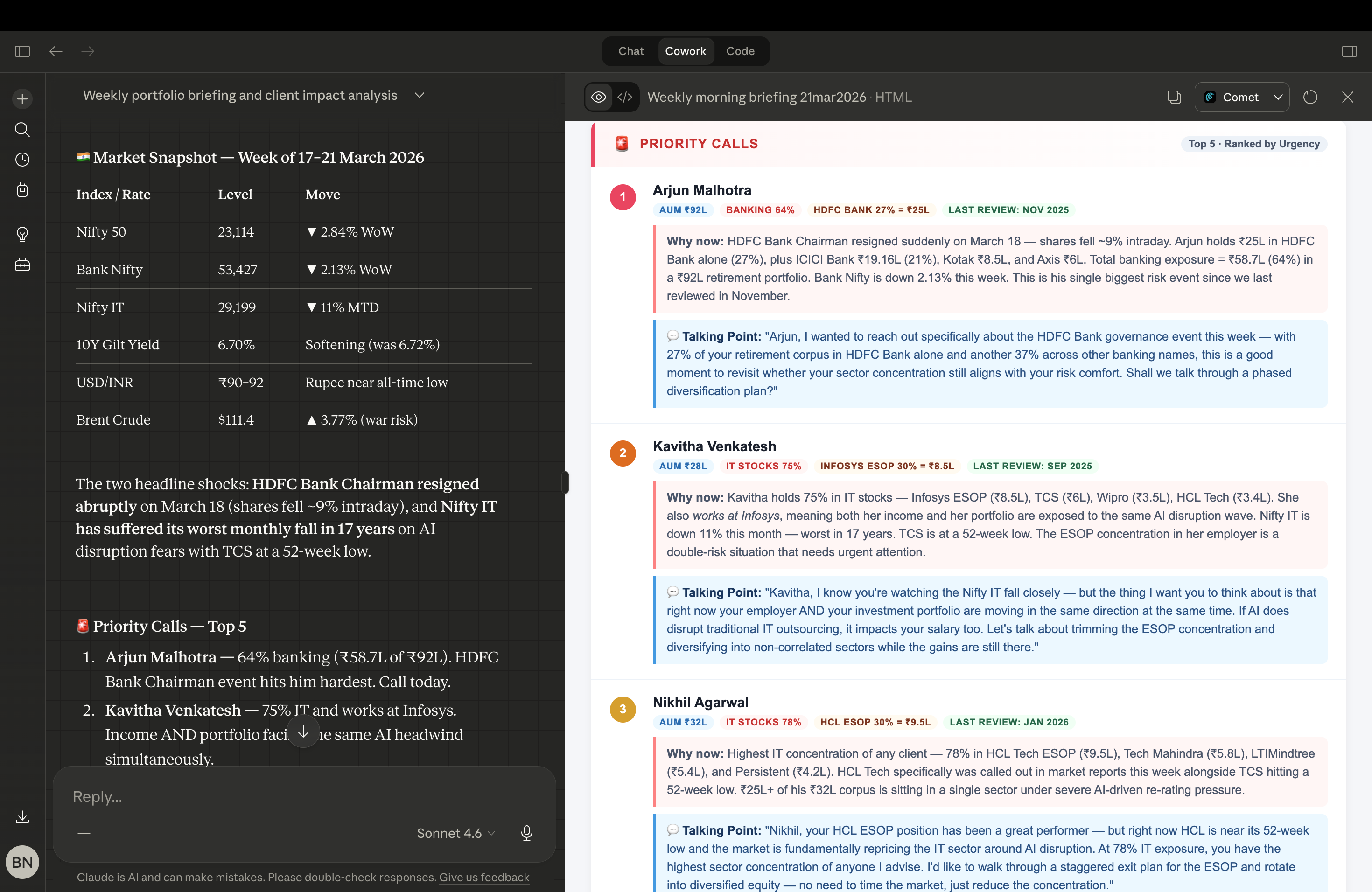
That list took under 4 minutes to generate. Five names. Each one flagged with a reason, overdue review, portfolio drift, earnings impact on a holding.
But here’s what most people miss when they see this.
They think the value is the speed. It’s not.
The real value is that you stop making decisions on instinct at 9:45 in the morning when you’re already behind. You walk into every call with a structured brief. You sound like you’ve been tracking that client all week, because now, effectively, you have.
Therefore, the client experience changes. Not slightly. Noticeably.
One session. Two plugins. And your Monday morning goes from controlled chaos to something that actually feels like a system.
