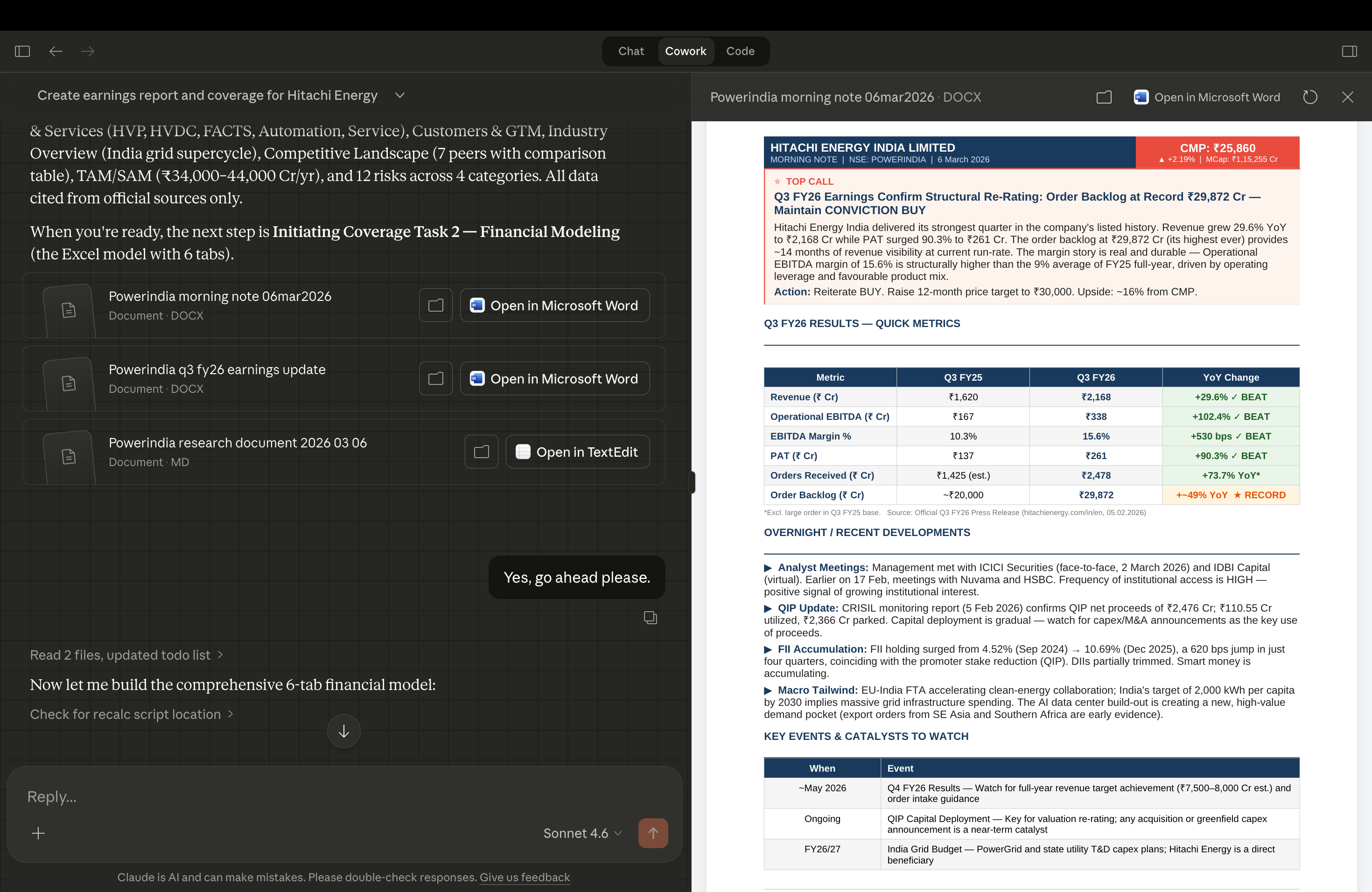
People who do equity research are not lazy. They are some of the most detail-oriented professionals in finance. They read annual reports for fun. They build models on weekends. They argue about EV/EBITDA multiples at dinner. The work is not the problem. But the process has a ceiling. If one research report takes you three days, you cover two companies a month. That is the ceiling. Not your skill. Not your effort. Time. And if you could do the same quality work in 90 minutes, you would not stop doing research. You would do ten times more of it.
This is not about doing less. It is about doing more.
Most conversations about AI in finance frame it as a replacement. Faster, cheaper, fewer analysts. That is the wrong frame entirely. The best researchers are not going to stop doing research because a tool speeds them up. They are going to do more of it. Better coverage. More companies. Sharper theses. Efficiency does not kill the craft. It expands it. The analyst who covers ten companies with the same effort that used to cover two is not doing less work. They are doing the work that actually matters, ten times over.
This is the Claude Cowork workflow that built the report. Let me walk you through it.
Step 1: Download Claude app and install the Equity Research Plugin.
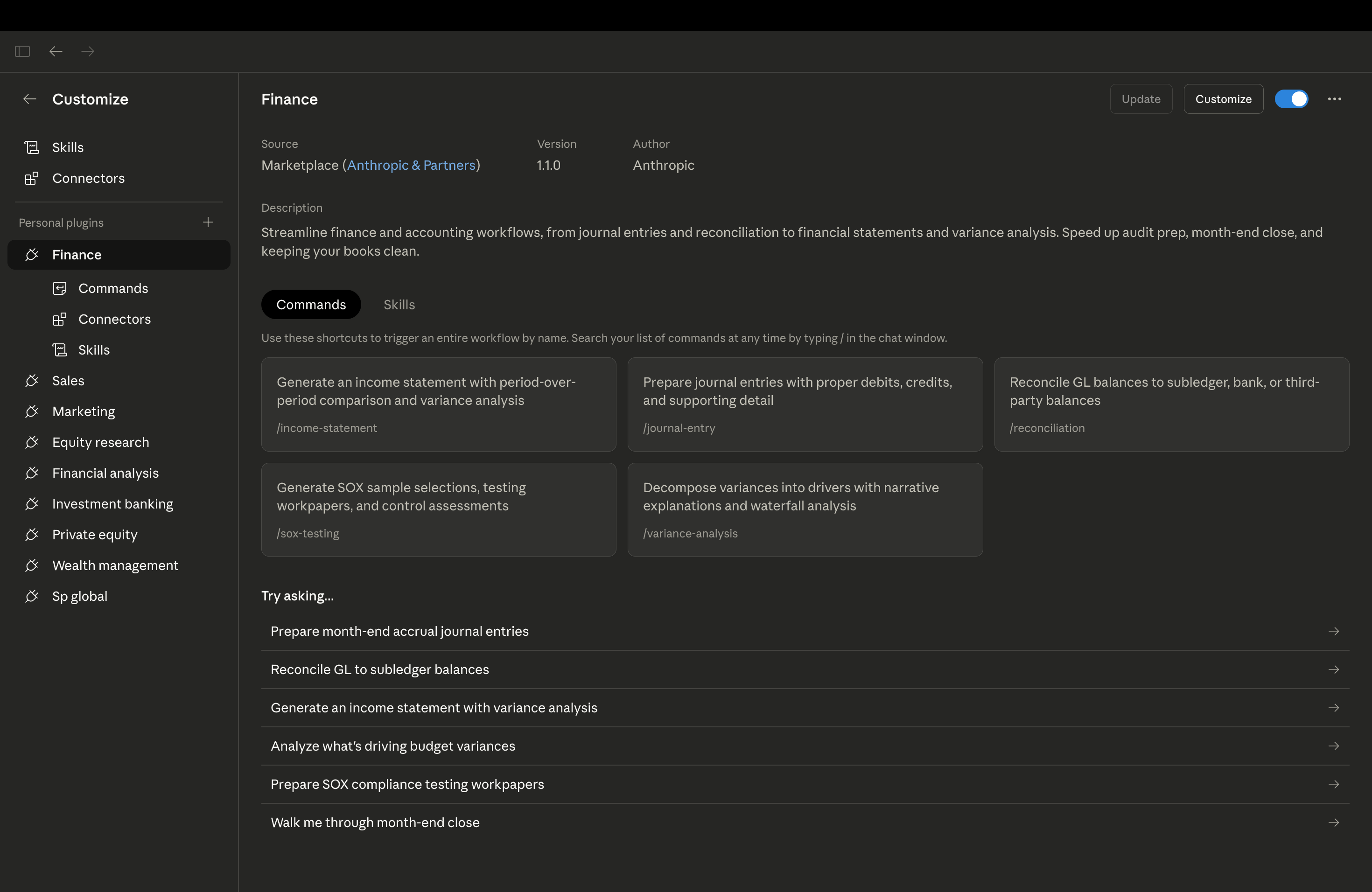
Go to claude.ai and download the Claude desktop app. Switch to Claude Cowork section. Once it is open, search for the Equity Research Plugin in the plugin library, or go directly to claude.com/plugins/equity-research. Install it. That is it. The whole setup takes under ten minutes and you do not need to touch a single line of code.
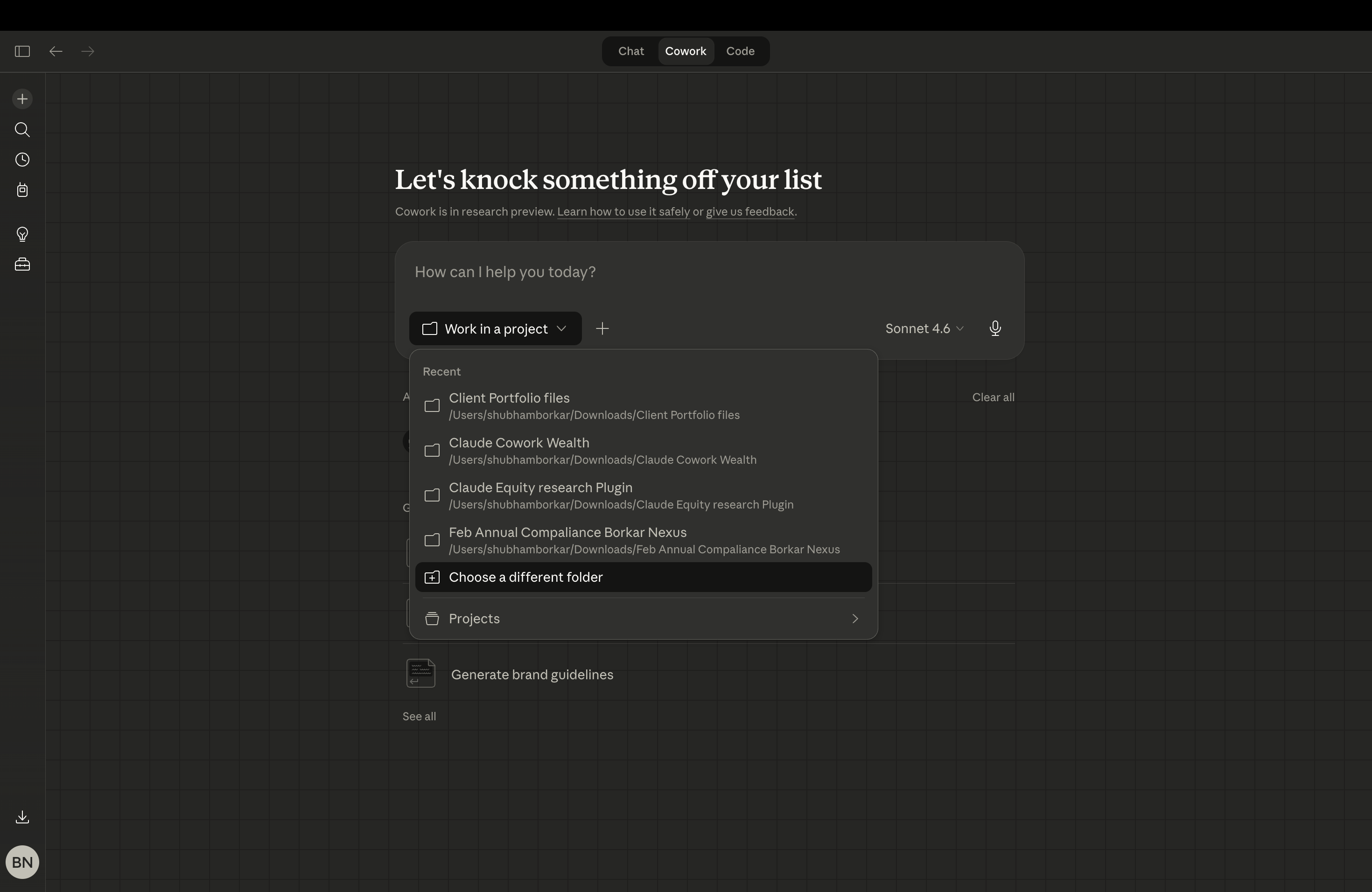
Step 2: Select your working folder.
Open a folder on your desktop. This is where everything lives. Your source files, your firm’s report template, any compliance language you want included. Click the folder icon in Claude Cowork and point it to that folder. Whatever you put in there, Claude can read and use. That is the whole setup.
Step 3: Type your instruction in plain English.
No prompt engineering. No special syntax. Just tell Claude what you want the same way you would brief a colleague. For this report, the instruction was simple: initiate coverage on Hitachi Energy India, build the financial model, run the valuation, write the investment thesis. That was it. One paragraph. Claude Cowork handled the rest.
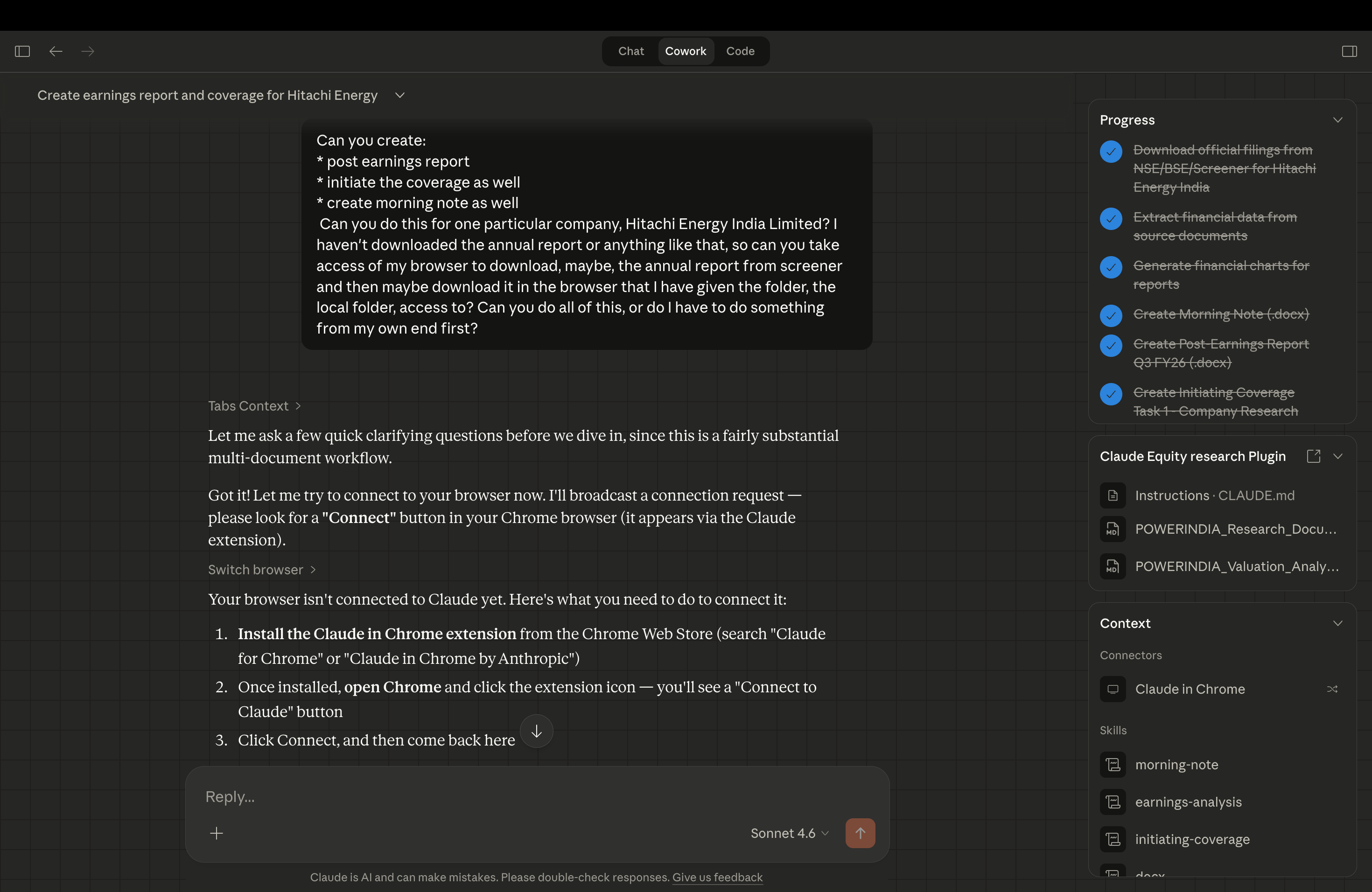
Note: Claude asked for access to my Chrome browser mid-run. It gave me two steps, download the Claude for Chrome extension and sign in. Once I did, it connected automatically and continued. No manual setup beyond that.
Step 4: Let it run. Do not interrupt.
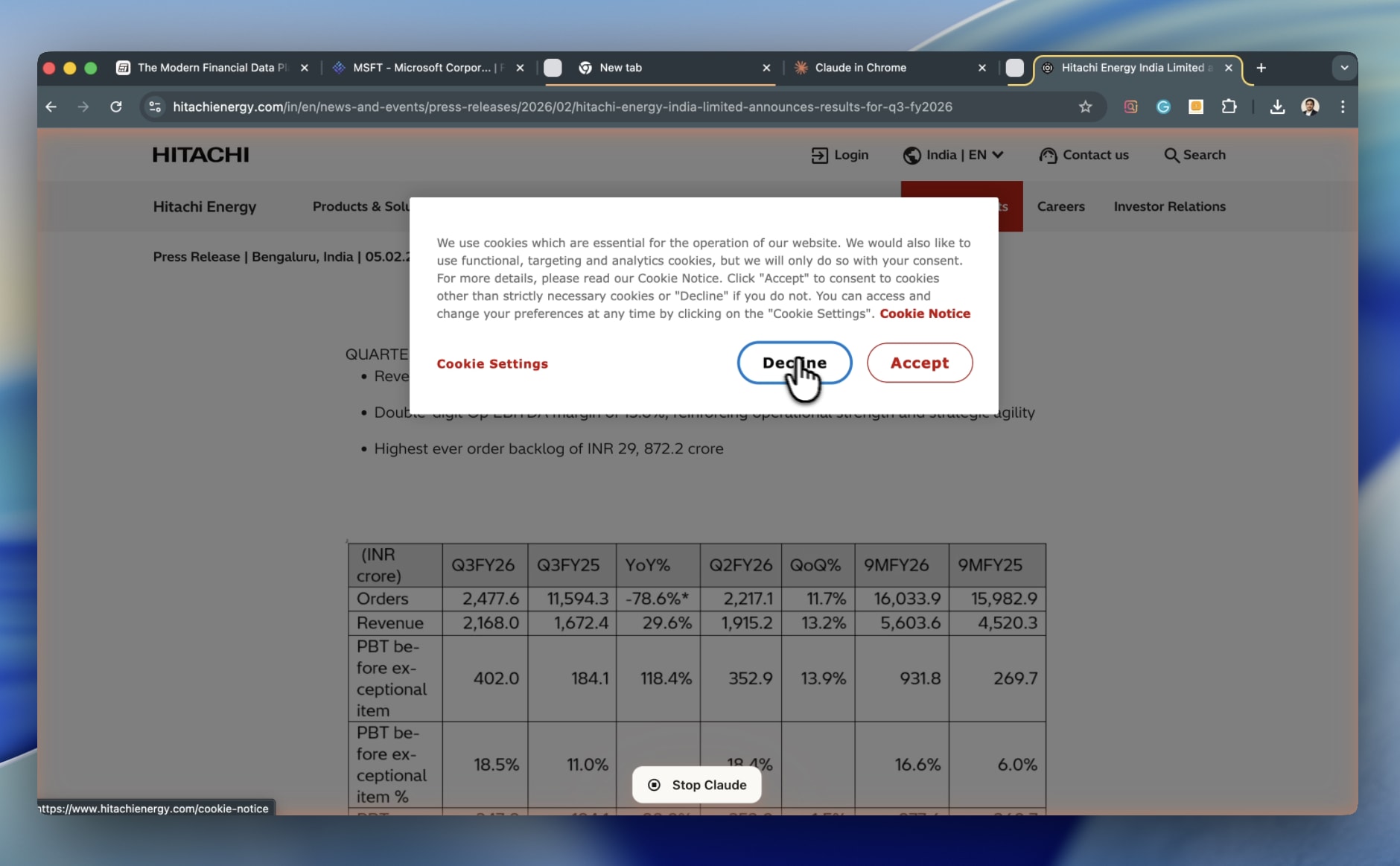
This is the part that feels different the first time. Claude starts pulling data from primary sources: company investor relations pages, BSE and NSE filing portals, Screener.in. It builds the financial model. It writes the investment thesis. It structures the report. You are not doing any of this. You are watching it happen. The instinct is to jump in and correct things mid-run. Resist that. Let it finish. You will have the full output in front of you to audit, challenge, and refine. But first, let it complete the job you gave it.