


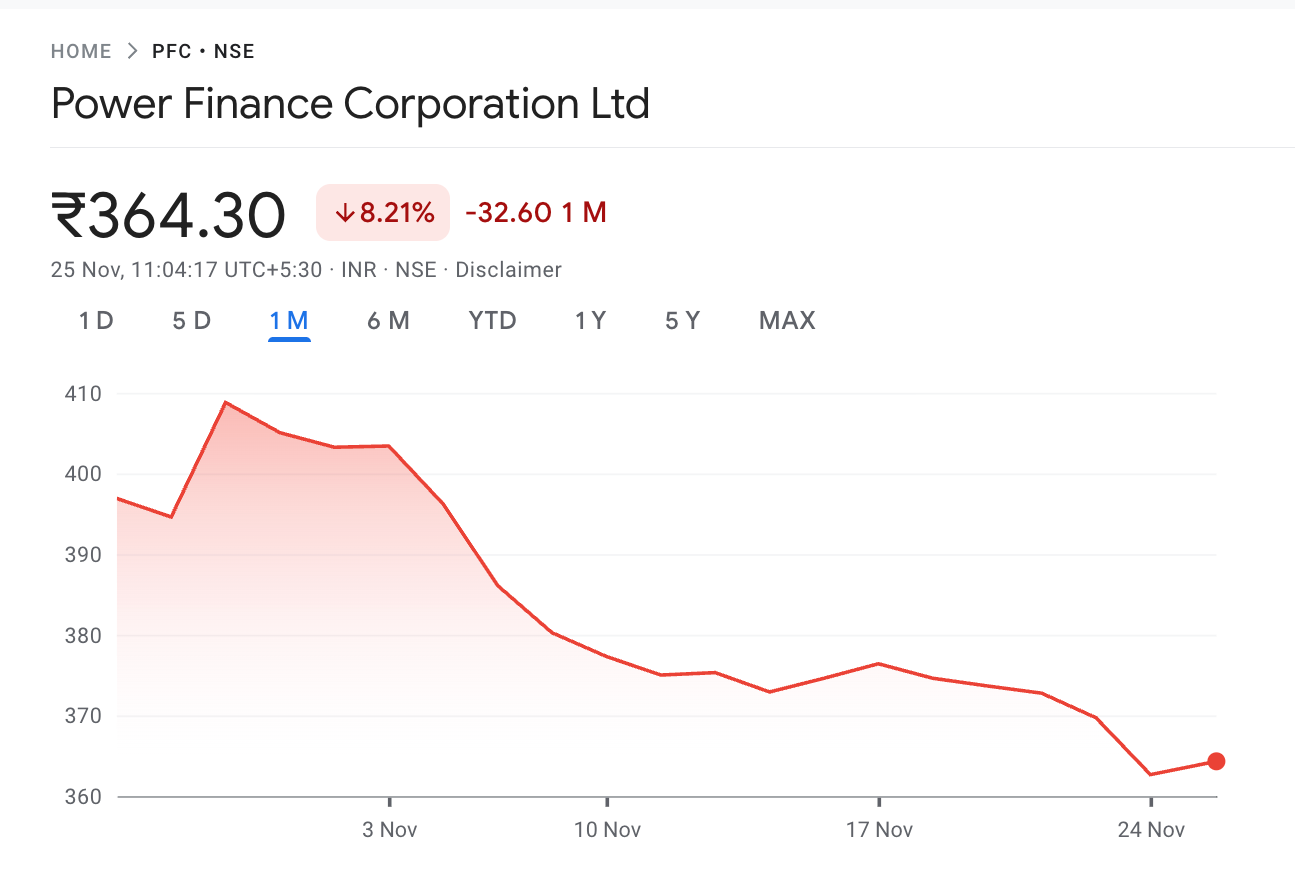
Power Finance Corporation Limited has dropped 8.2 percent in the past one month. If you are holding NBFCs focused on energy lending, you have felt this.
If you are holding Adani Green Energy, that too has slipped more than 10 percent in the past three weeks. If you are holding anything tied to the energy ecosystem, the last month has stung.
Here’s the real issue. When your stock falls, you don’t immediately know whether something specific is happening to your company or whether the whole sector is going through a phase. And if the entire sector is under pressure, the next question is where the money is moving. Financials? fmcg? tech? Or simply to safer assets like government securities or cash-like instruments.
Most investors feel uncertain in these phases because there’s no quick way to diagnose what is happening below the surface. Without a framework, people either cut positions too early or end up holding through genuine downtrends.
A better way is to understand capital movement. You don’t need paid data feeds or to wait for broker reports for this anymore. AI allows us to map capital flows using publicly available information.
The Structure
This is a simple technique I use with AI to understand where capital is moving. The idea is basic.
Check whether your stock’s weakness is unique or sector-driven.
See how money is rotating within the sector.
Track whether liquidity is shifting to other sectors or to safer asset classes.
Once you see these patterns, the situation becomes clearer.
The Methodology
We’ll use a structured prompt that maps both intra-sector and cross-sector flows. To explain how it works, let’s use PFC as the example.
First, the AI checks PFC’s relative performance compared to similar companies. Then it looks at the broader power and energy ecosystem. And finally, it reviews where capital is shifting on a market-wide level.
You can use this structure for any stock in any market.
Watch the Live Demo
Before we go into the step-by-step process, here’s a short demo of the entire workflow using Power Finance Corporation.
It shows the exact sequence from start to finish, including how the stock underperformed its sector, how the sector compared against others, and where the capital actually rotated.
This will give you a clear picture of what the full diagnostic looks like before you run it with your own stock.
Before You Run the Prompt: One Step You Must Do
To make this workflow accurate, you need two data files directly from NSE for the day you are analysing.
Here’s the 2-minute process:
1. Go to NSE → Market Data → Equity & SME Market → Bhavcopy
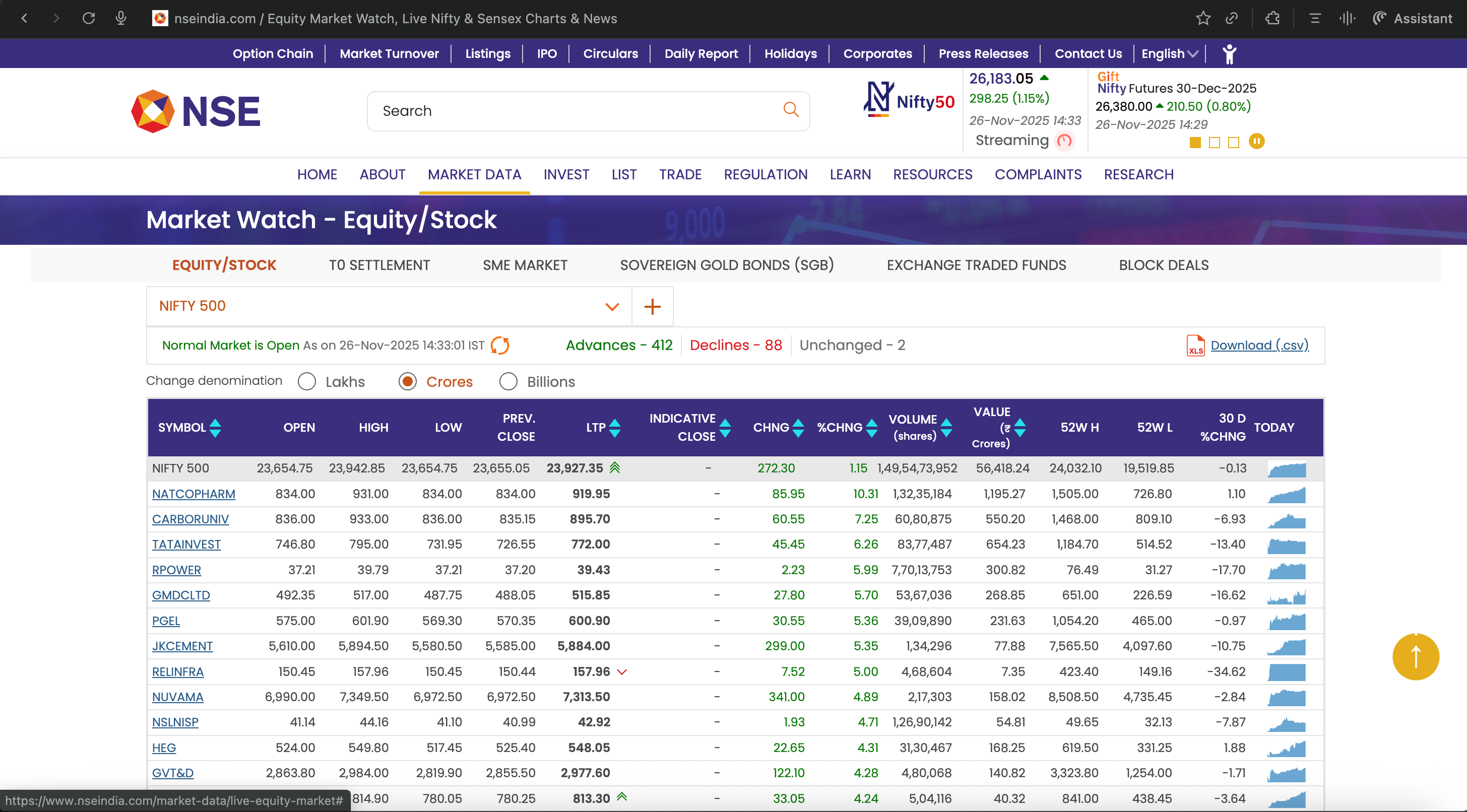
Download the NIFTY 500 CSV for your chosen date.
This file gives you:
• Latest Trading Price
• Volume
• 52-week high/low
• 30-day % change (the most important field)
This becomes your broad-market anchor.
2. Download your sector’s index file
In our case (PFC), we downloaded NIFTY Energy and NIFTY Financial Services, because PFC sits at the intersection of energy lending and financial services.
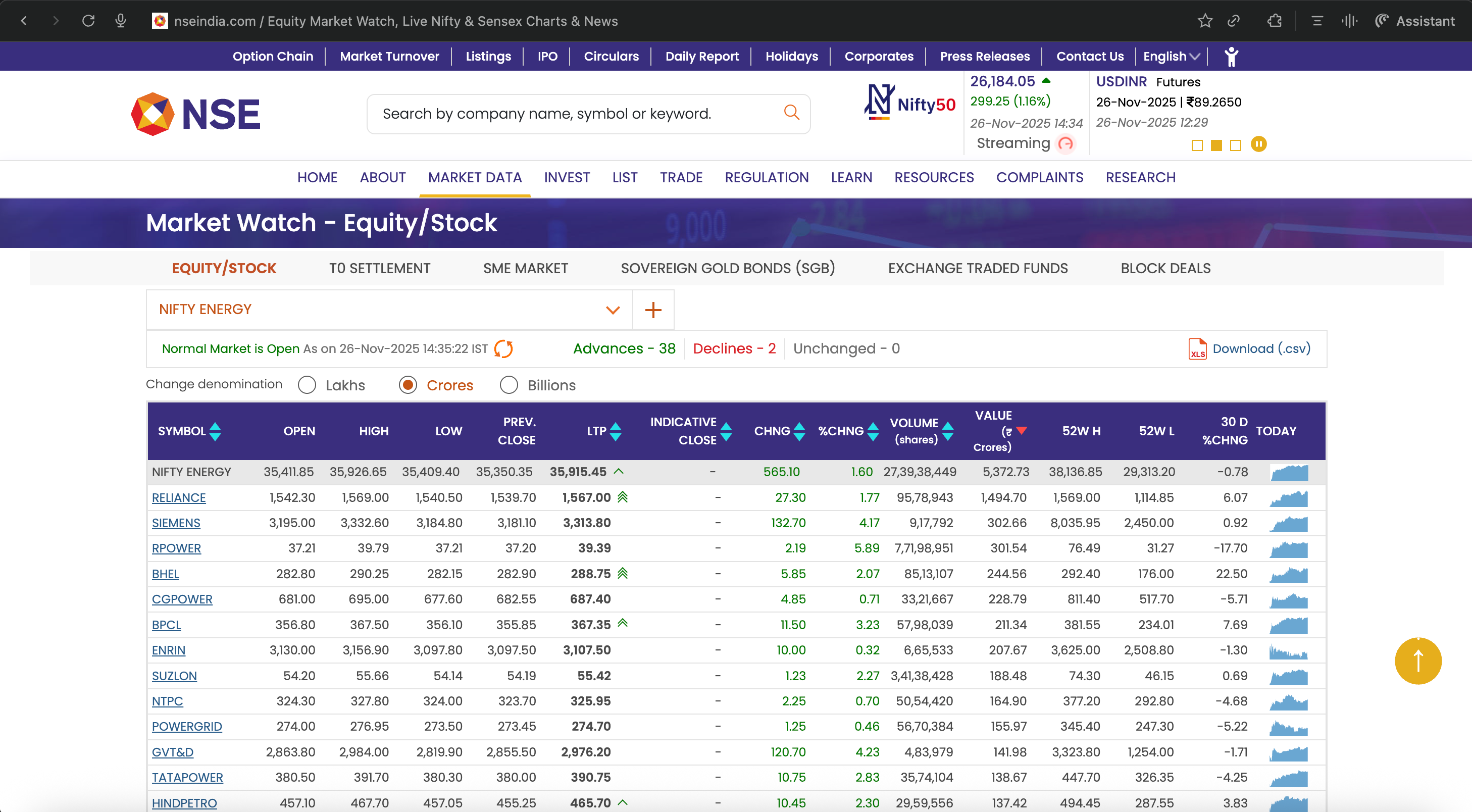
For your own stock, download the sector index it belongs to.
If it spans two sectors, download both.
These files give you:
• All constituents of the sector
• Their latest prices
• Their 30-day returns
• Accurate sector-level breath
• The correct identification of winners vs losers
Once these CSVs are uploaded into the prompt, the AI reads them as the authoritative source and avoids the usual errors that happen when LLMs fetch scattered data from the open web.
Copy-Paste Prompt
Prompt: (For best results, use it with Perplexity Deep Research)
# ROLE
You are a senior cross-market analyst and senior researcher. Your job is to run capital-rotation diagnostics using only the data supplied by the user or public sources. Do not invent fund flows. Do not give investment advice.

# INPUT (fill once)
- country_or_market: {{country_or_market}}   # e.g., “India”, “Nigeria”
- sector_name: {{sector_name}}               # e.g., “Energy”, “Power”
- focus_stock: {{focus_stock}}               # the stock symbol or company name used in the local exchange (e.g., “PFC.NS” or “POWERFIN” or local ticker)
- as_of_date: {{as_of_date}}                 # ISO date: DD-MM-YYYY
- time_horizons: {{time_horizons}}           # list, e.g., [”1D”,”5D”,”1M”,”3M”]
- macro_assets_override: {{macro_assets_override}}  # optional list of macro proxies. If NA, defaults are used.
# USER-UPLOADED CSV RULES (dynamic filenames)
The user may upload one or more CSV files. Filenames will be unknown in advance. You must:

. Identify each CSV by reading its columns, not by filename.
. Treat any CSV that contains broad-market stocks (hundreds of rows or contains an index column like NIFTY, BSE, NGX, IBOV) as the broad-market file.
. Treat any CSV that contains only one sector’s constituents as the sector file.
. If multiple CSVs include valid data, use all of them. Prioritise rows with Date <= as_of_date. Prefer exact match.
. Required columns if present:
    - Symbol or Ticker
    - LatestPrice
    - Volume
    - Open
    - High
    - Low
    - 52WeekHigh
    - 52WeekLow
    - 30D_pct_change
    - Date
If any column is missing for a row, mark that metric as NA without inferring or calculating missing values.

. For each CSV-derived value include the annotation:
  “Source: user-uploaded CSV (as_of_date)”

. Use value_traded = LatestPrice × Volume.
. Use 30D_pct_change from CSV for 1M returns. Do not recompute 30-day returns.

# DATA COLLECTION (fallback logic)
If the user does not upload CSVs or if a required field is missing in all CSVs:
. Fetch data only from public exchange or respected aggregators like finance.yahoo.com or investing.com. Cite URLs for every value.
. Always use the as_of_date for alignment. If exact date unavailable, use nearest prior trading day.

# COMPUTATIONS
1) Returns
. For each horizon compute percent returns for focus_stock, sector index, sector constituents, all major domestic sector indices, and macro assets. If CSV is present use CSV 30D_pct_change for 1M.

2) Relative returns
. focus_stock minus sector.
. sector minus broad index.

3) Value-traded and z-scores
. value_traded = LatestPrice × Volume.
. Compute z-scores using 1M window for Volume and value_traded.

4) Breadth
. % constituents positive in each horizon.
. Count of 1M and 3M highs and lows where available.

5) Rolling correlation
. 1M rolling correlation of focus_stock vs sector index. Output NA if insufficient data.

# CLASSIFICATION RULES
Idiosyncratic:
. focus_stock underperforms sector by >= 3 percent (1D) or >= 5 percent (5D or 1M) AND sector breadth > 45 percent.

Sector-driven:
. sector in bottom three across domestic sectors AND breadth < 35 percent AND sector value_traded z >= +1.

Market-stress:
. broad indices negative across horizons AND safe assets (short-term govt securities, long-duration bonds, gold, FX) show positive returns and value_traded z >= +1.

# DESTINATION MAPPING
. Rank sector indices and macro assets by return.
. Mark assets with Return > 0 AND value_traded z >= +1 as inflow candidates.
. Note divergences between duration assets, credit proxies, FX and commodities.

# OUTPUT FORMAT
1) MARKET DIAGNOSTIC — one-line classification plus two reasons referencing CSV or URLs.
2) INTRA-SECTOR TABLE — columns:
   | Ticker | Weight or NA | Returns (each horizon) | RelToSector (each) | Vol_z | Value_traded_z |
3) SECTOR HEATMAP — columns:
   | Sector | Returns (each horizon) | Rank | Breadth% | Index_Vol_z |
4) CROSS-ASSET TABLE — columns:
   | Asset | Class | Returns (each horizon) | Value_traded_z | Inflow_Signal |
5) CORRELATION — one line with 1M rolling correlation or NA.
6) SOURCES — list CSV filenames (as detected) and URLs used for fallback.
7) METHODOLOGY & CAVEATS — short paragraph summarising data priorities and NA handling.

# NA RULES
. If you cannot compute a metric due to missing columns or missing dates, write NA and continue.
. Never infer or guess missing values.
. If external sources show conflicting values, label “Conflicting values” and mark NA.
What Does AI Say?
Here’s what the model surfaced in this case.